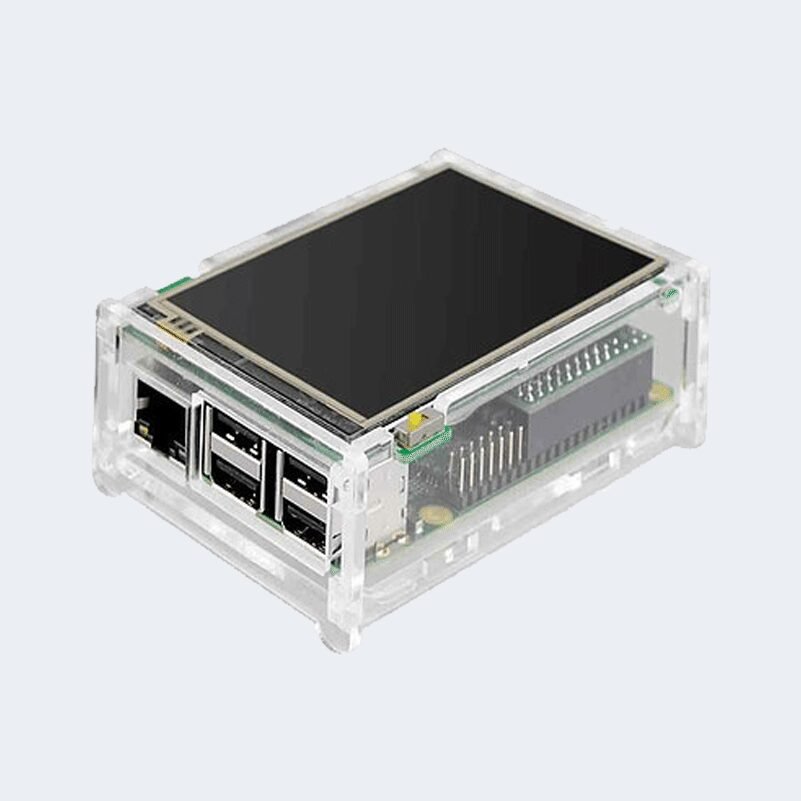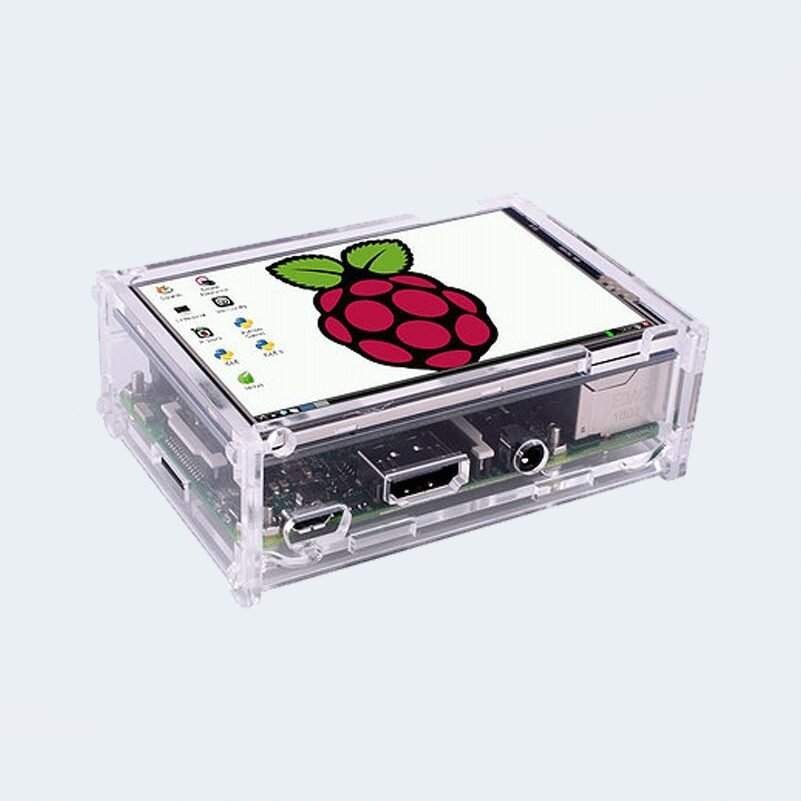
3.5 inch touch LCD for Raspberry Pi
Description
- 3.5inch standard display, support HDMI input, refresh rate above 60FPS
- Physical resolution 480×320, configurable software resolution up to 1920×1080
- It is compatible with mainstream mini PC such as Raspberry Pi, BB Black, Banana Pi
- It can also be used as a general-purpose HDMI display, connecting computers, TV boxes, Microsoft Xbox360, SONY PS4, Nintendo Switch and so on
- Used as a Raspberry Pi display that supports Raspbian, Ubuntu, Kodi, Win10 IOT, single-touch, free drive
- Work as a PC monitor, support Win7, Win8, Win10 system (No touch Function)
- Support HDMI audio output,Backlight brightness can be adjusted
- CE, RoHS certification
DRIVER
How to Install
- Install Raspbian OS (If you have installed, you may skip this step)
- Download official Raspbian-Jessie image from Raspberry Pi official website
- Download Etcher or other tools to burn image to your SD card
- Clone this repo into your pi, open LX Terminal and enter following commands:
$ git clone https://github.com/goodtft/LCD-show.git
$ sudo chmod -R 755 LCD-show
$ cd LCD-show/
- According to your LCD’s type, execute:
3.5″ LCD –$ sudo ./LCD35-show5″ LCD –$ sudo ./LCD5-show- 7inch(B)-800X480 RPI LCD –
$ sudo ./LCD7B-show - 7inch(C)-1024X600 RPI LCD –
$ sudo ./LCD7C-show - Original HDMI display –
$ sudo ./LCD-hdmi
- Wait a few minutes, the system will restart automatically.
- If you are using Raspbian image version 2017-03-02 or later, you need to execute these additional 2 commands below after step 4 to allow calibration of resistive touch screen. Then reboot the system.
$ cd LCD-show
$ sudo dpkg -i -B xserver-xorg-input-evdev_1%3a2.10.3-1_armhf.deb
$ sudo cp -rf /usr/share/X11/xorg.conf.d/10-evdev.conf /usr/share/X11/xorg.conf.d/45-evdev.conf
$ sudo reboot
- Enjoy the LCD!
Parameters
- Size: 3.5(inch)
- SKU: MPI3508
- Physical Resolution: 480×320(dots)
- Software adjustable resolution: 480×320~1920×1080(dots)
- Touch: Resistance Touch
- Power Dissipation: 0.20A*5V (Brightness @100%)
- 0.15A*5V (Backlight close)
- Product Size: 85.5*60.6(mm)
- Package Size: 143*134*51 (mm)
- Rough Weight(Package containing): 142(g)
Hardware Description
①Backlight button: backlight brightness adjustment button, short press backlight changes by 10%, long press 3 seconds to close backlight
②HDMI interface: HDMI signal input interface
③Amplifier interface: HDMI audio output interface
④USB power supply interface: provide power for ordinary display (5V 1A)
⑤Transaction raspberry pie 26PIN base: gets power and return touch from this area when used as a raspberry pie monitor
RFID card 125KHz popular frequency
مؤقت بشاشة قابل للبرمجة Timer Relay Delay Switch Module XY-LJ02
Pin Header Male 40P 2.54mm
W1209 12V DC Digital Temperature Controller – Thermostat
Crocodile (ALLIGATOR) Clip Test Leads Wires -5 PCS
TD2030A Audio amplifier Module
Power Connector Module DC005
TTL UART to USB Converter
كابل يحول من سيرال الى يو اس بي USB to UART cable cable
سماعة تنبيه بصوت مستمر buzzer 3-24v continuous sound
long pin header female 10P
مكثف 470 ميكرو فاراد 35 فولت الكتروليتي